Open the assistant
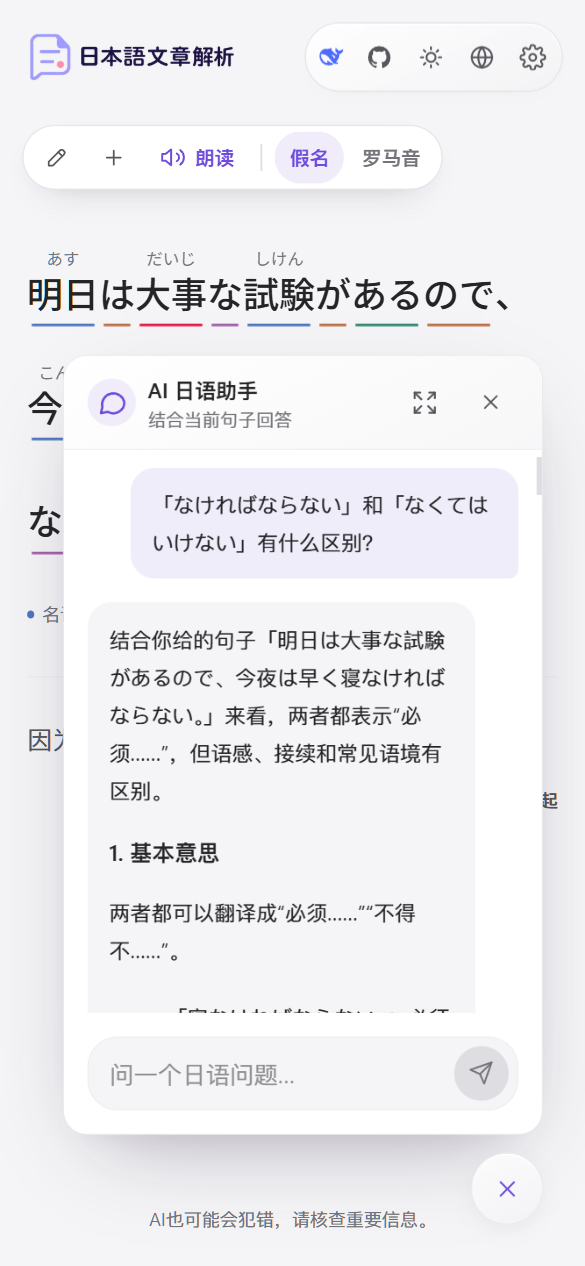
Click the Open AI Japanese Assistant button in the bottom-right corner of the page. When the window opens:- If you have already analyzed a sentence, the assistant says “Ask me about the grammar and usage in this sentence.”
- If you haven’t analyzed a sentence yet, the assistant says “Which Japanese word or sentence would you like to explore?”
Ask questions
Type your question in the input box and press Enter to send it. Press Shift + Enter for a new line. When you type with an input method editor (IME), pressing Enter to confirm a candidate doesn’t send the message by mistake. Here are some questions you can ask:- What does 「〜ながら」 mean in this sentence?
- What’s the difference between 「読んだ」 and 「読みました」?
- How do I say this sentence in keigo (honorific language)?
- Give me three more example sentences with 「〜てしまう」.
Use the current sentence as context
After you analyze a sentence, the first time you ask a question the app automatically tells the assistant “I am analyzing this Japanese sentence” and includes the original text. Every reply after that uses the context of that sentence.Reply language
The assistant always replies in the current interface language, even if you ask in Japanese or another language. It uses Japanese only to quote words, word forms, and example sentences. To get replies in another language, switch the interface language at the top of the page.Window controls
The chat history is kept only on the current page and is cleared when you refresh. The assistant uses the AI provider and model version you selected in Settings.